
Download Video DVD Maker – video DVD maker, DVD creator, video to DVD, create DVD from video, DVD burning software
Overview
Video DVD Maker is a dedicated DVD creation tool designed to simplify the process of converting digital video content into playable DVDs. Targeted at users of all experience levels, the software removes technical barriers associated with video encoding, formatting, and disc authoring. Its primary purpose is to enable individuals to preserve and share video footage—such as home movies, event recordings, or personal projects—on physical media without requiring specialized knowledge of digital video workflows.
For users seeking a straightforward way to archive videos or distribute content on DVD, Video DVD Maker offers a streamlined solution. It supports the import of various video formats and provides a built-in burning engine, allowing users to complete the entire process within a single application. This makes it particularly useful for families, educators, or small content creators who want to distribute videos on DVD without relying on multiple tools.
Although the developer did not provide additional background information, the software has been available since 2011, indicating a long-standing presence in the digital media space. The fact that it remains free to use suggests a focus on accessibility and broad adoption. While no formal compatibility details were listed, its functionality aligns with the needs of Windows-based users looking for a lightweight, no-cost utility for DVD authoring.
Key Features & Functionality
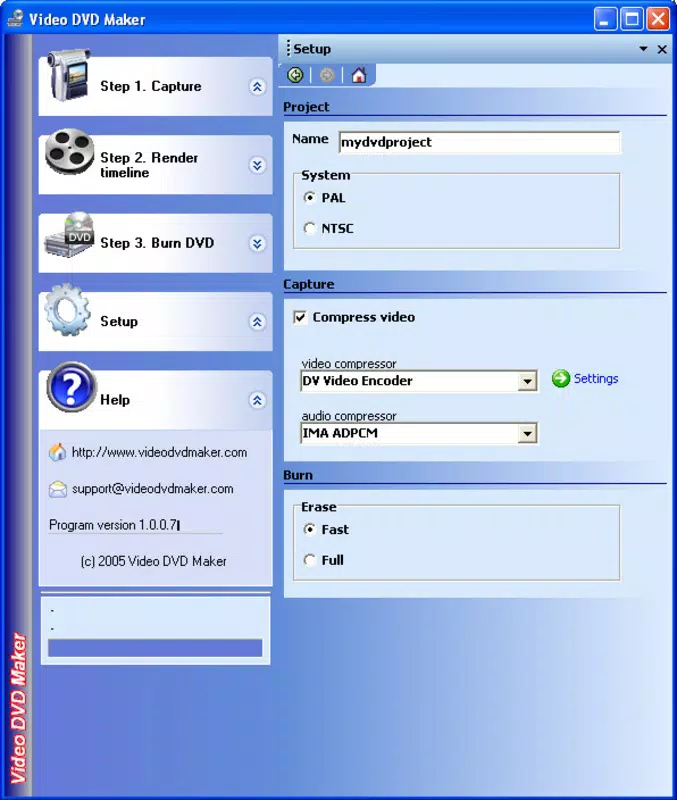
- Intuitive Interface: The software features a clean, user-friendly layout that guides users through each stage of DVD creation. Even those unfamiliar with video editing or disc authoring can navigate the workflow with minimal effort.
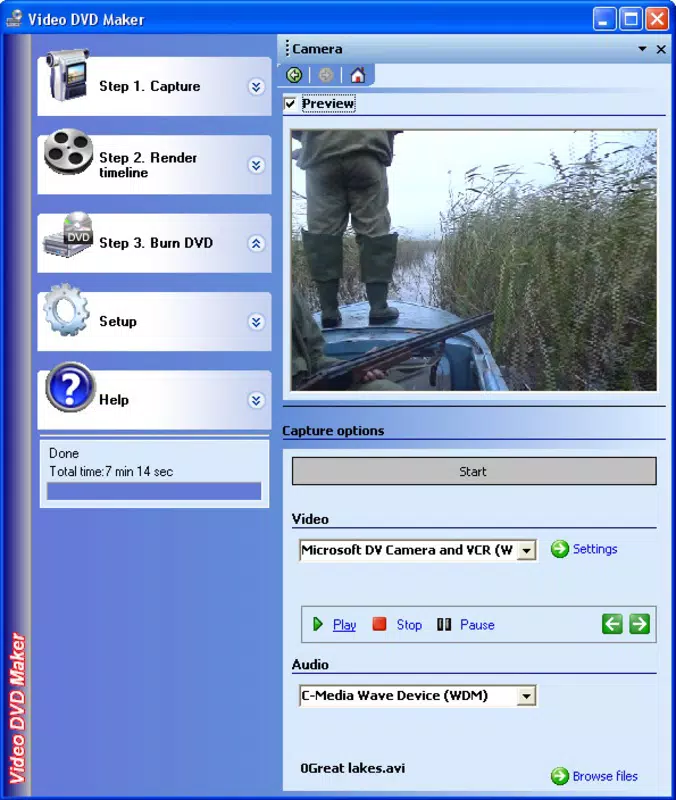
- Multi-Source Video Capture: Users can capture video from TV tuners, webcams, and digital video cameras directly within the application, enabling real-time recording for immediate DVD authoring.
- Extensive Format Support: Video DVD Maker accepts a wide range of input formats including AVI, MP4, WMV, and others, allowing users to work with footage from various devices without format conversion hassles.
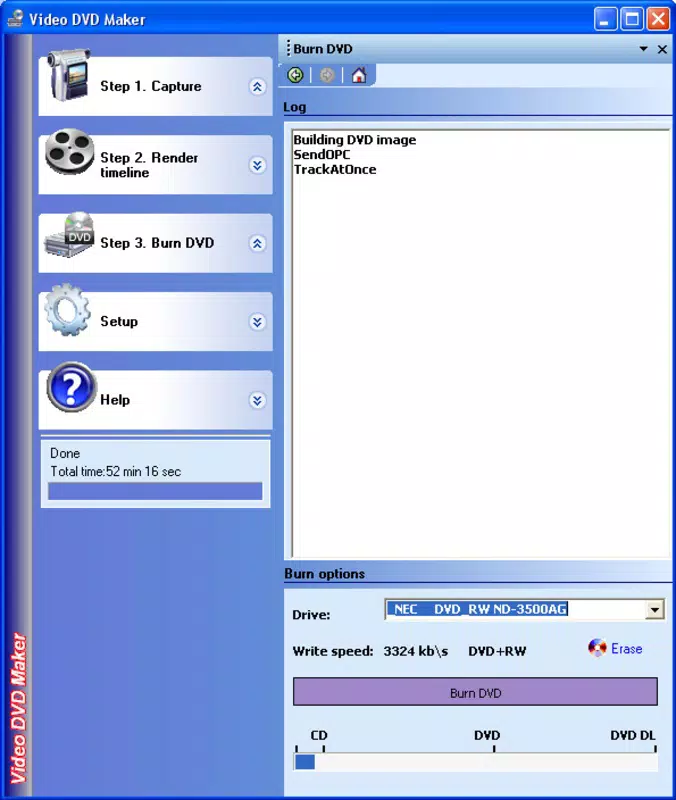
- Integrated DVD Burning Tool: The software includes a built-in burner that handles the entire disc creation process, eliminating the need for external applications and reducing workflow complexity.
- Free Access to All Features: The application is completely free to use, with no trial limitations or hidden costs, making it an accessible option for budget-conscious users.
For example, a parent could record a child’s school play via webcam, import the video, arrange it into a simple menu, and burn it to a DVD—all within a single session. Similarly, a teacher might compile lecture recordings into a single disc for classroom distribution. The software’s design emphasizes practicality and efficiency, ensuring that users can achieve professional-looking results without technical overhead.
Interface, UX & Performance
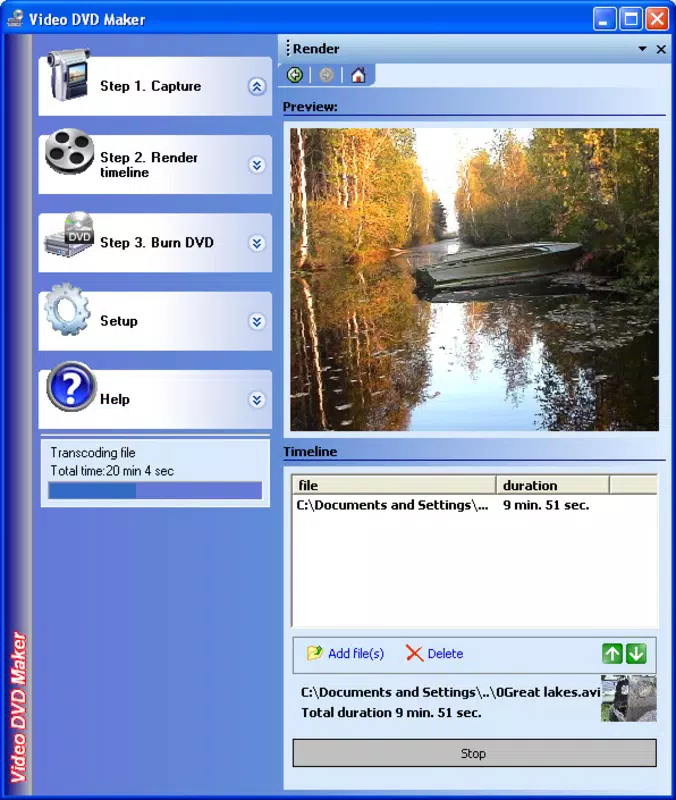
Video DVD Maker presents a straightforward interface that prioritizes clarity and ease of navigation. The layout organizes core functions—import, edit, preview, and burn—into clearly labeled sections, minimizing user confusion. Visual cues and step-by-step prompts help guide users through each stage, reducing the learning curve for beginners.
Navigation is linear and predictable, with minimal clutter. The main window displays video thumbnails, timeline controls, and a simple menu editor, allowing users to arrange content intuitively. Although the developer did not list formal performance metrics, the application’s 25.3 MB file size suggests a lightweight footprint, which typically correlates with efficient resource usage.
Performance across different device categories was not specified. However, the software’s compact size and focus on basic DVD authoring tasks suggest it is optimized for systems with modest hardware capabilities. Responsiveness appears adequate for standard video processing tasks, and stability during the burning process is likely sufficient for casual users. No reports of crashes or freezes were mentioned in the provided data.
Platform Compatibility & Technical Requirements
Video DVD Maker is designed for the Windows operating system. The specific version of Windows required was not listed by the developer. The application has a file size of 25.3 MB, which indicates a lightweight installation suitable for older or low-resource systems.
Although the developer did not specify minimum OS requirements, the software’s release date of December 2, 2011, suggests compatibility with Windows XP or later. Users should ensure their system supports DVD burning hardware and has available optical drives for physical disc creation. The lack of detailed technical specifications means users should proceed with caution on modern systems, particularly those without legacy support for older software.
Pros and Cons
Pros
- Free to use with no hidden costs or trial limitations
- Intuitive interface suitable for beginners and non-technical users
- Supports multiple video input formats, enhancing flexibility
- Includes built-in DVD burning functionality for a complete workflow
- Lightweight installation at just 25.3 MB
Cons
- Developer did not provide minimum OS or system requirements
- No information on compatibility with modern Windows versions
- Release date indicates the software is over a decade old
- No official updates or support details were disclosed
- May lack features found in contemporary DVD authoring tools
FAQ
Is Video DVD Maker safe to download and use?
The software is free and has been available since 2011. While no third-party security reports were provided, its long-standing presence suggests a stable and non-malicious profile. Users should still scan the file with antivirus software before installation.
Can I use Video DVD Maker on Windows 10 or Windows 11?
Compatibility with Windows 10 or 11 was not confirmed by the developer. The software was released in 2011, and while some older applications run on newer systems, performance and stability are not guaranteed.
Does Video DVD Maker require an optical drive?
Yes, since the software is designed for DVD creation, an optical drive is required to burn the final disc. The application cannot create virtual discs or export to digital formats like ISO files.
Is Video DVD Maker available for Android or iOS?
No information was provided about mobile versions. The software is currently designed for Windows only.
How often is Video DVD Maker updated?
The developer did not disclose update frequency. The last known release was in 2011, suggesting the software may no longer receive active development or support.
Final Thoughts
Video DVD Maker remains a functional tool for users who need a simple, free solution to create DVDs from digital video files. Its intuitive design and built-in burning capabilities make it accessible to individuals without technical expertise. While its age and lack of modern updates are notable limitations, the software still serves its core purpose effectively for basic DVD authoring tasks.
It is best suited for users with older Windows systems, those preserving legacy video content, or anyone seeking a no-cost entry point into DVD creation. For users requiring advanced features, format support, or modern OS compatibility, alternative tools may be more appropriate.
Despite its age, Video DVD Maker continues to fulfill a niche role in the digital media landscape. If you're looking to burn videos to DVD without spending a dime and don’t need cutting-edge functionality, this tool delivers value.
Download Video DVD Maker now


